
Create an account
Add a bank account, wallet or credit card and set its starting balance.
Updated 2026-10-07
An account is any place your money lives: a bank account, a cash wallet or a credit card. Everything you record in DuoCents belongs to an account.
Where to find it
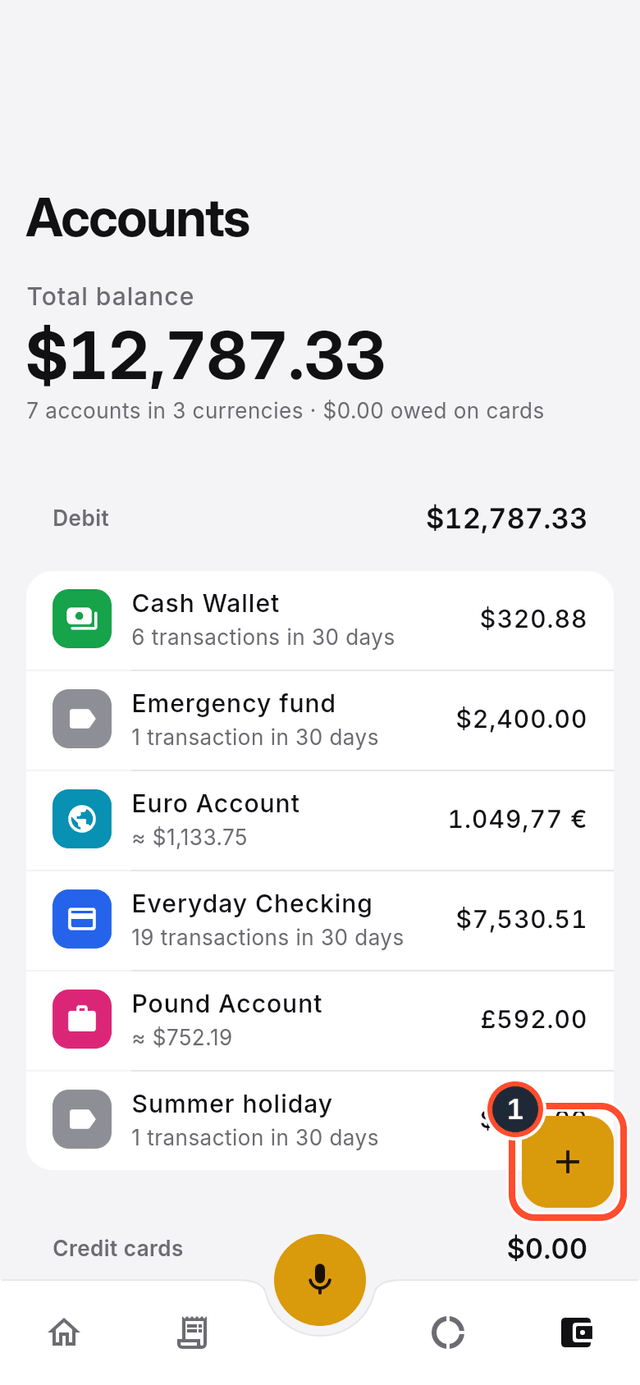
Open Accounts from the bottom bar. You will see every account with its current balance.
Steps
- Tap the round + button on the list (its label is
Create account).
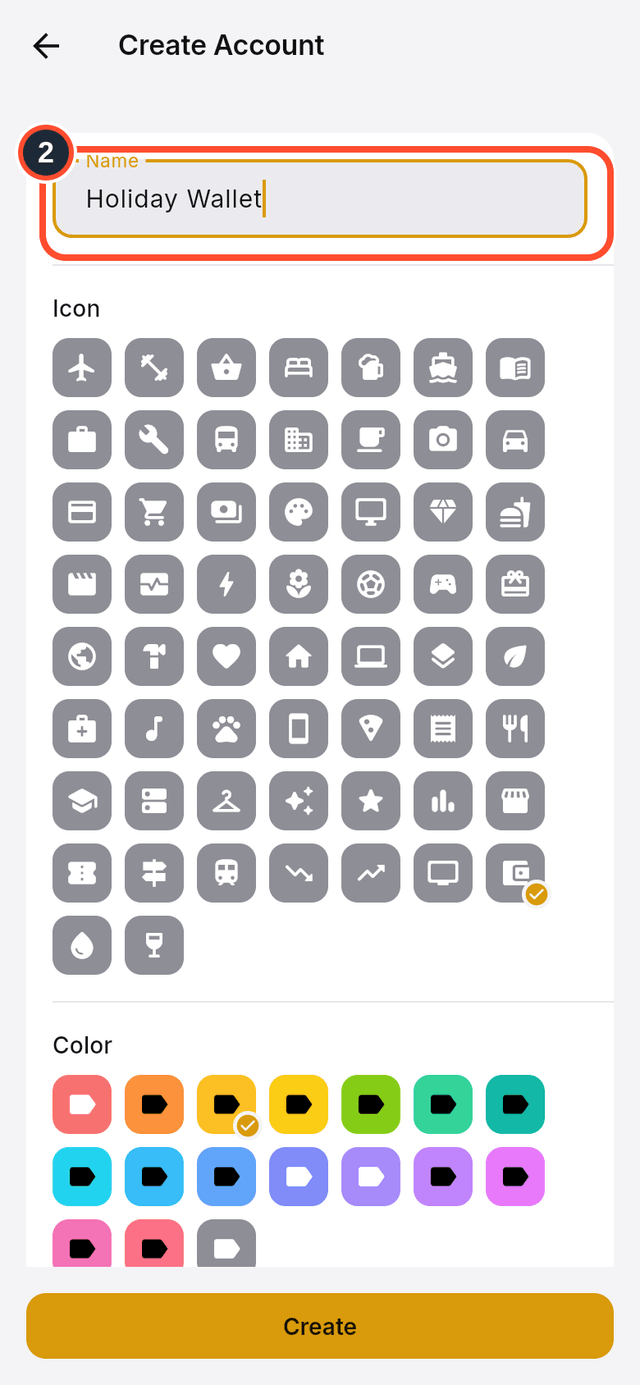
- Type a
Nameyou will recognise, for example "Holiday Wallet".
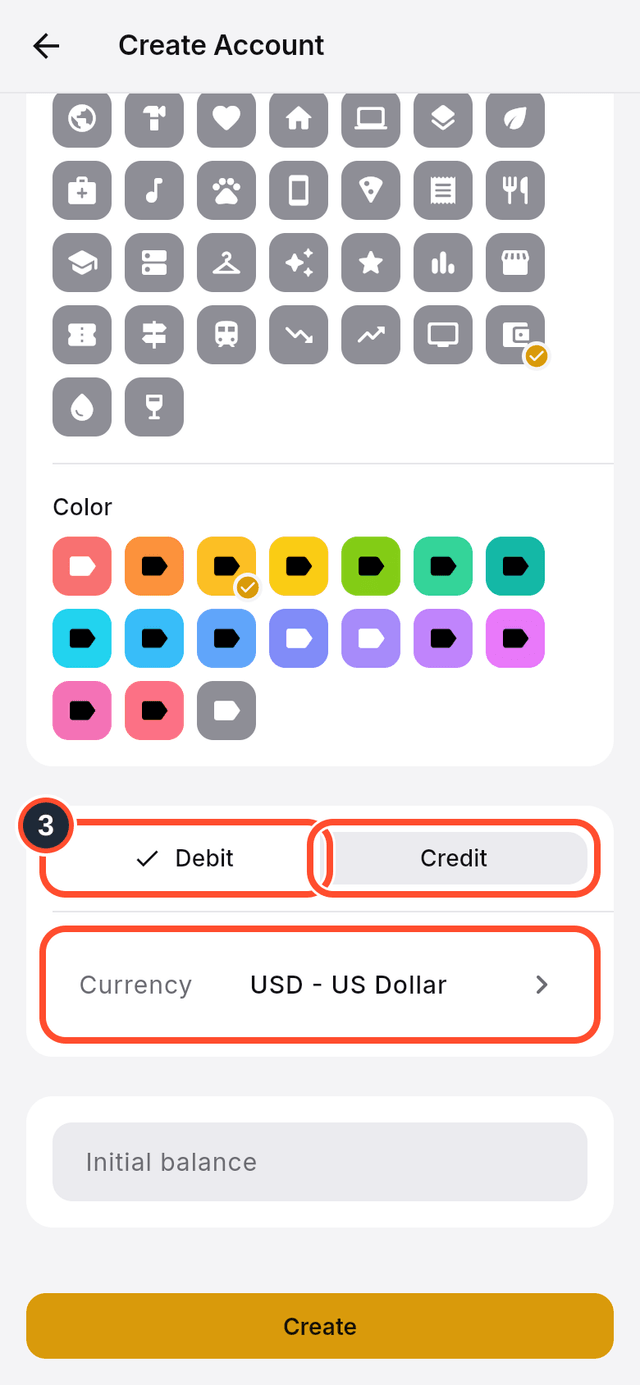
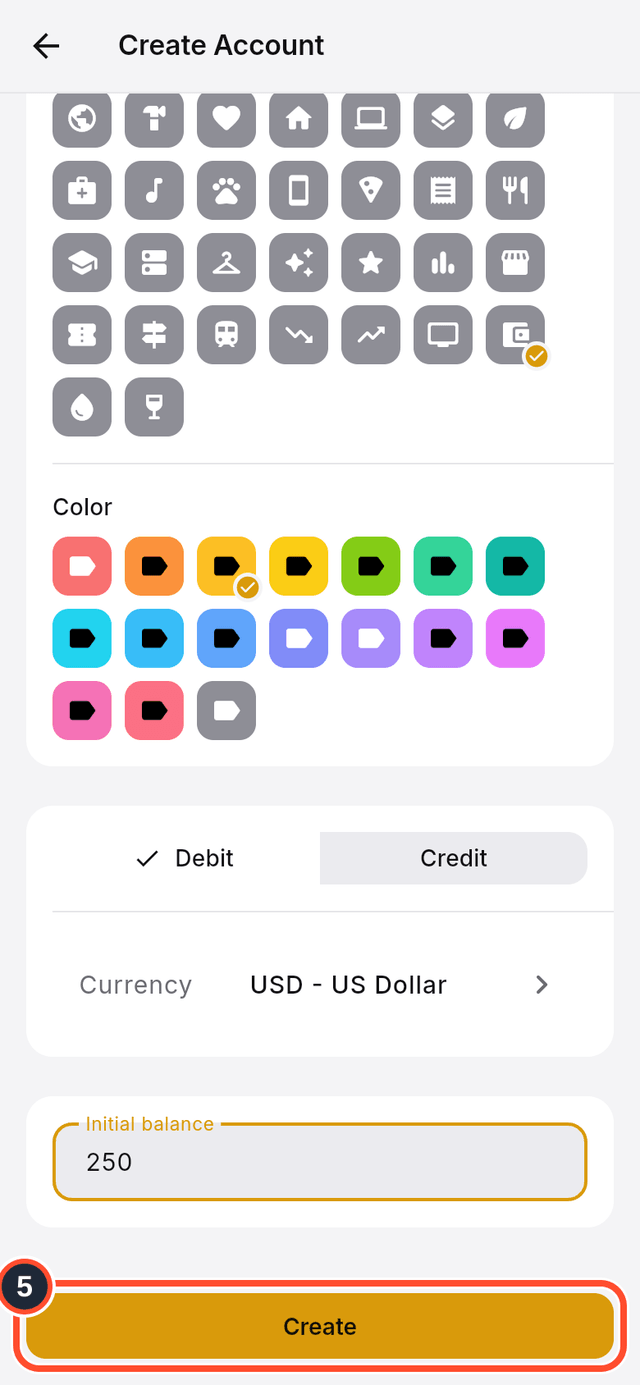
- Choose the type:
Debitfor money you already have, orCreditfor a credit card. Then pick theCurrency.
- Enter the
Initial balance, the amount that is in the account today.
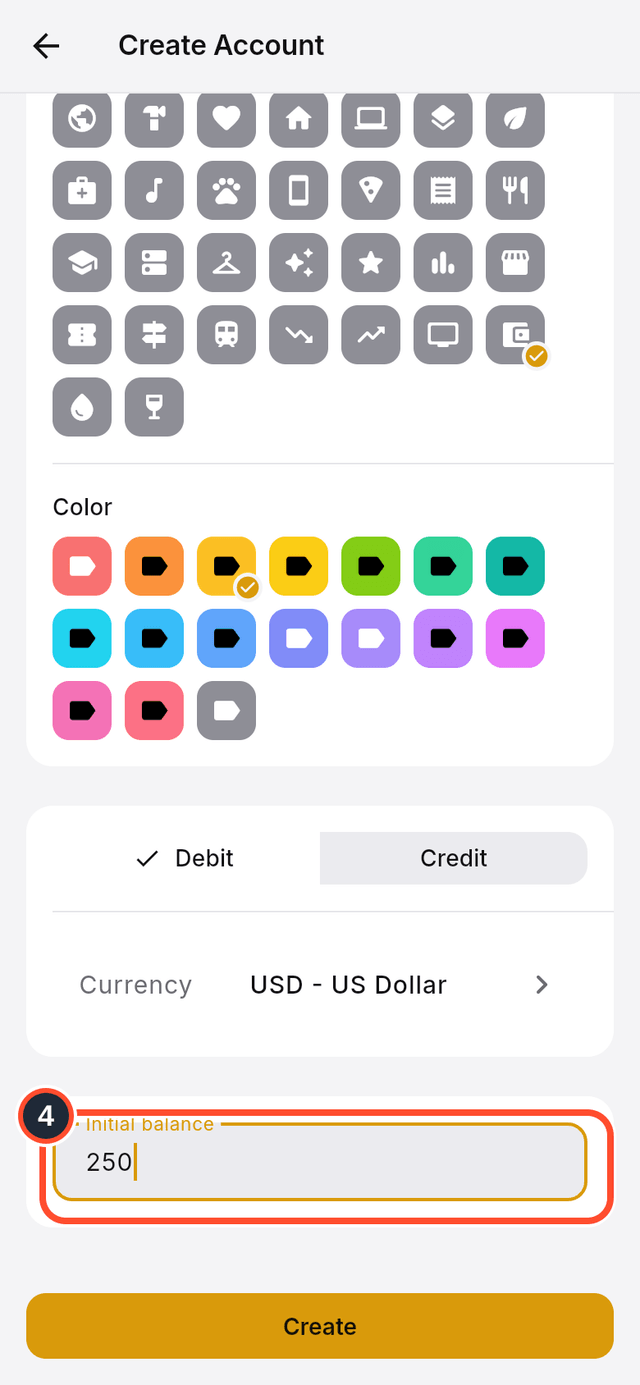
- Tap
Create. The new account appears in your list.
Tips
- A credit card also asks for a
Credit limit, aStatement dayand aDue day, so DuoCents can show how much of the limit you have used. - Accounts can use a different currency from your organization. DuoCents converts them when it adds up your total balance.