
Build a transaction from a receipt
Add the items from a receipt one by one and let DuoCents add up the total.
Updated 2026-10-07
Receipt mode lets you enter what you bought line by line, instead of typing one total. The amount is calculated from your items, so there is nothing to add up by hand.
Where to find it
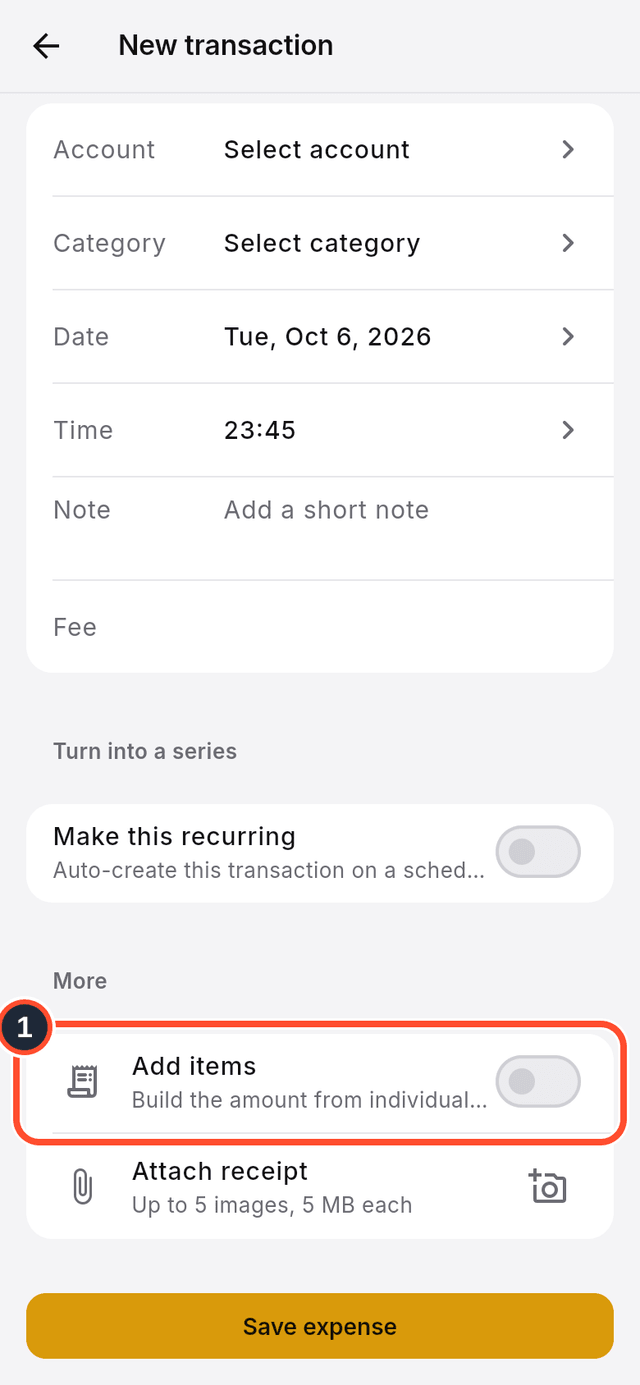
Open the new transaction form (see "Add a transaction"), then scroll down to the switch called Add items.
Steps
- In the new transaction form, scroll down and switch on
Add items.
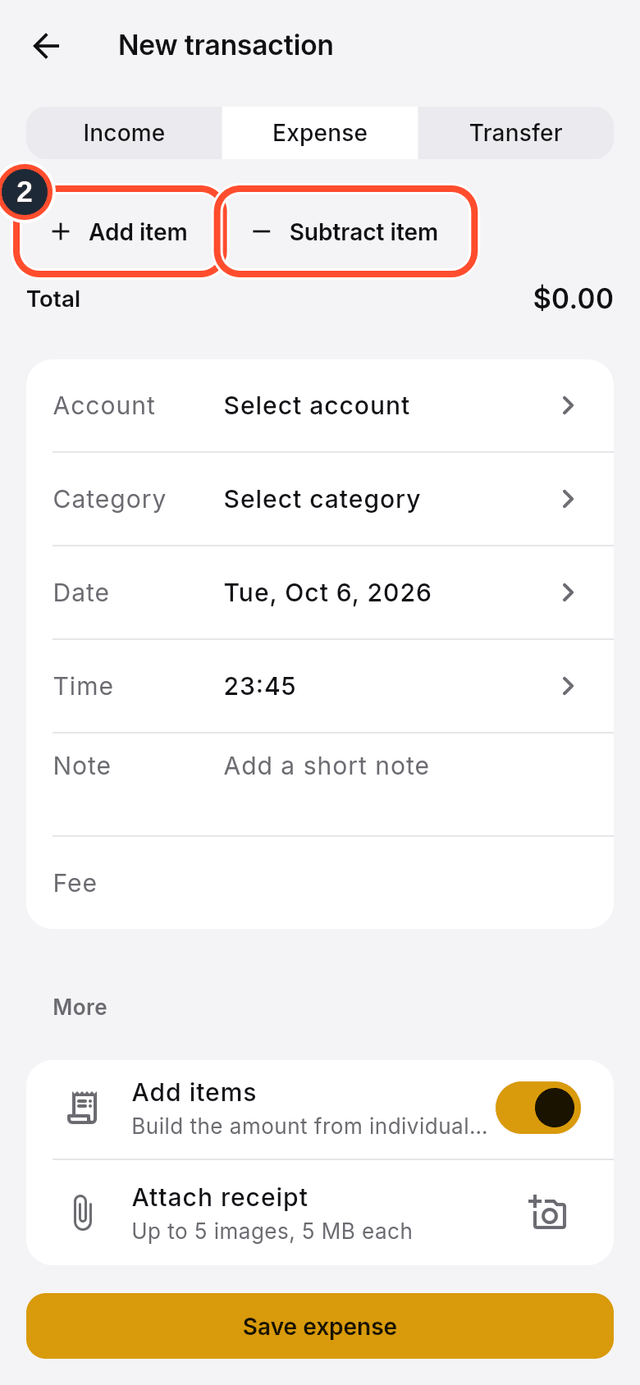
- Two buttons appear:
Add itemfor things you paid for andSubtract itemfor discounts.
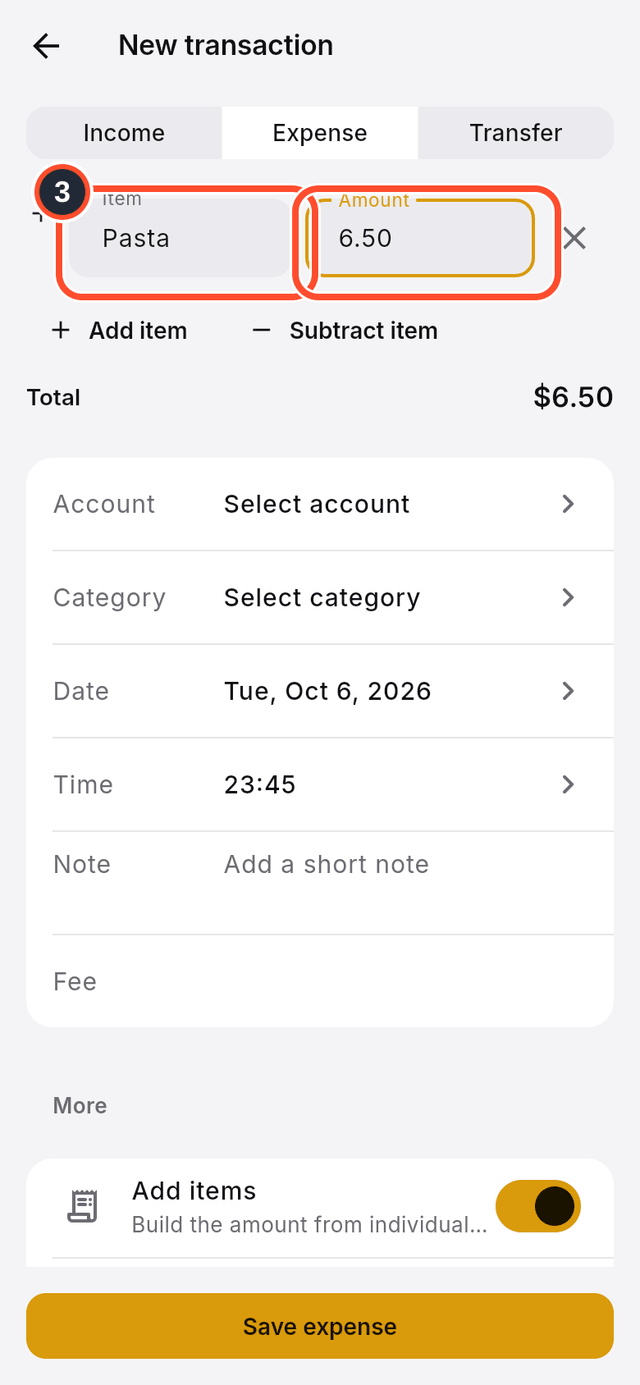
- Tap
Add item, then type theItemname and itsAmount.
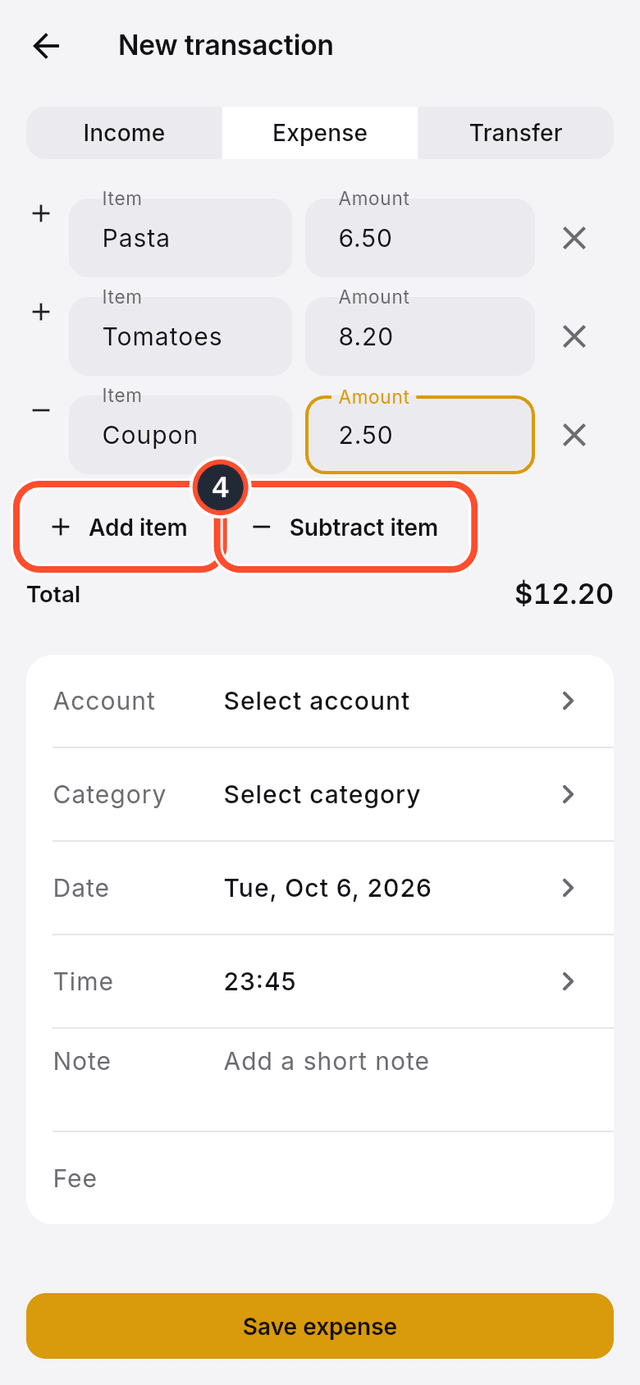
- Add more rows the same way. Use
Subtract itemfor a coupon or a discount. The total updates as you go.
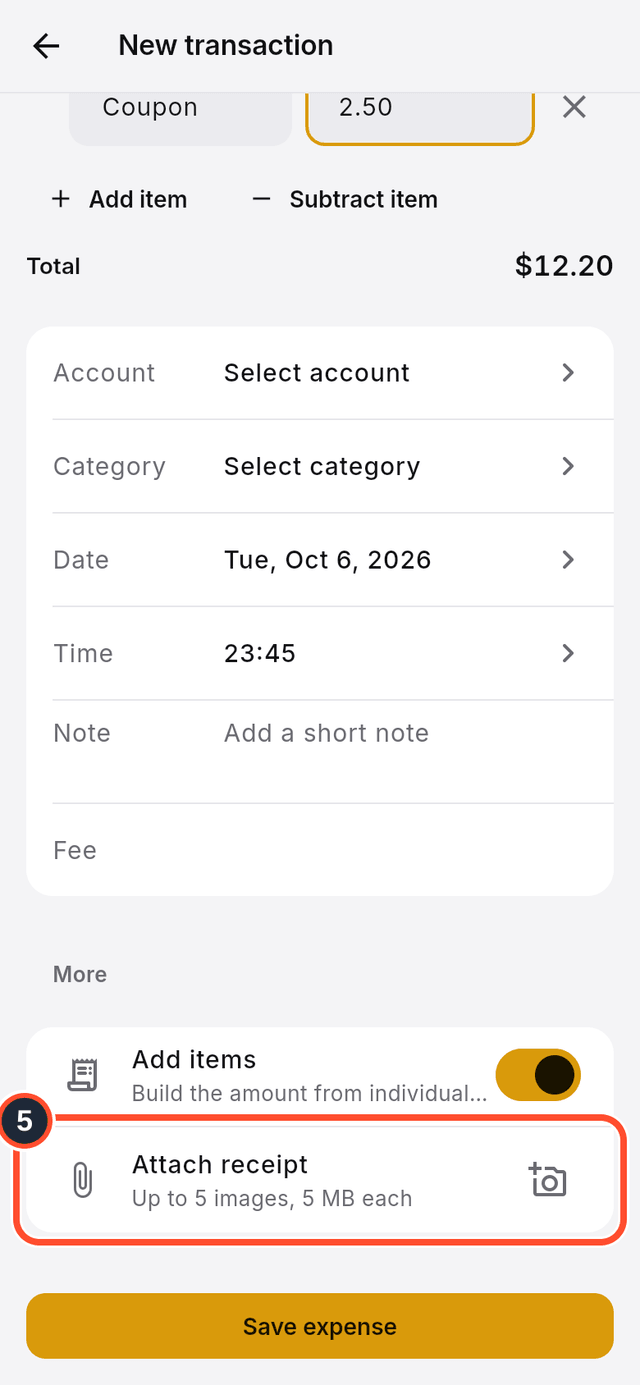
- To keep the paper receipt, tap the camera button on the
Attach receiptrow and add a photo.
- Tap
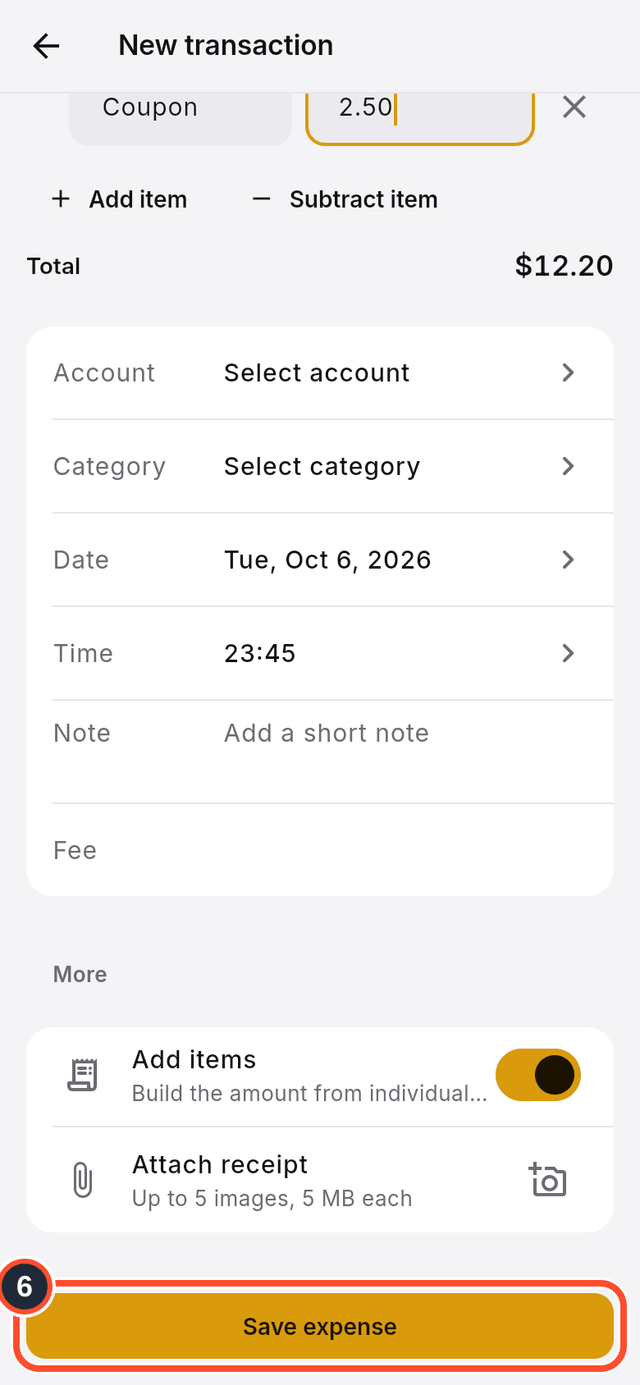
Save expense.
Tips
- You can attach up to five images, up to 5 MB each.
Totalshows the amount the transaction will be saved with.